For home
Great basic protection, free of charge
 Gmork
Gmork Your security advisor
AI Scam Guard for your computer’s browser (Chrome and Edge)
For you, your employees, your parents, and the whole family.
Today's scams are personal, polished and often written by AI. Gmork flags what looks legit but isn't.
Free for home use · Workplace for businesses, 14-day free trial
Want AI on every message? Try Plus free for 14 days
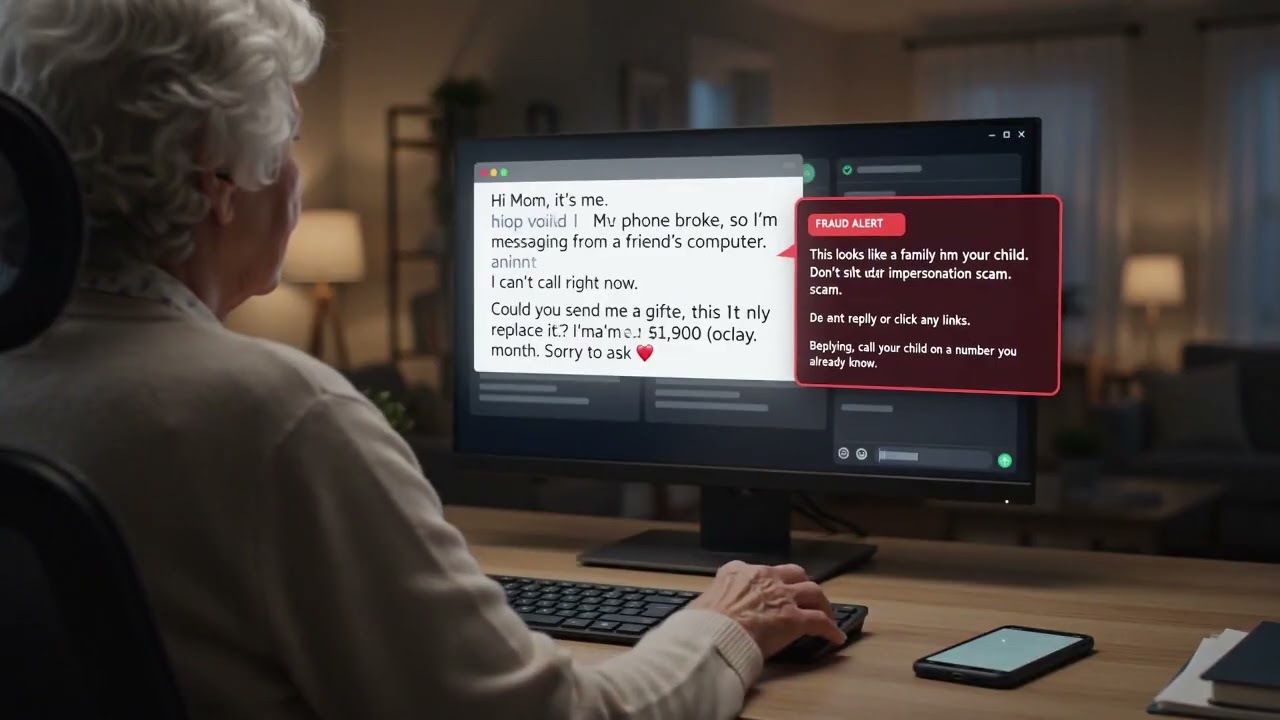
What a Scam Guard warning looks like
On a sign-in page
Stop and verify before you sign in
StopThis page is asking for your password, but it isn’t on the real PayPal website.
paypa1-secure.compaypal.comSample warnings. Names and web addresses are made up.
Videos play from YouTube in privacy-enhanced mode. Nothing loads from YouTube until you press play.
For your website
Two separate products. Pick the one you need, or both.
website monitoring, nothing to install
For website owners, agencies and teams.
Free for 1 site · plans from $10/mo
AI Scam Guard
A browser extension for Chrome and Edge that warns you about scams in emails, chats and pages — even ones that seem to come from family.
Expert advice on scam emails and messages, fake sign-in pages and look-alike sites.
Holds gift-card buy and send buttons, and warns before you share a one-time code.
Stops fake support pages and risky remote-control downloads while you decide.
On Family plans, a trusted helper can get a short alert when something serious happens.
Free, Plus and Family are for home use. Any business use needs Workplace, from 5 to 10,000 seats, with a 14-day free trial.
All on-device warnings are free for personal, non-commercial use at home, no account needed. AI help starts at $4/mo, with a 14-day free trial and no card needed.
AI Website Watchdog
It visits like a real person, learns what the site should do, and tells you when something is actually wrong — not only that the server answered.
Signup, booking and checkout walked in a real browser, stopping before payment.
A red and green diff of every page, plus before and after screenshots.
Spots injected scripts, sneaky redirects, and Googlebot seeing a different page.
Typo and look-alike domains that may impersonate your brand.
Plain-language briefs of what broke and what likely caused it.
Basic is free. Paid plans scale by how many domains you watch.
Or check a site right now — free, no signup.
Many people run a website and want scam protection at home. The two products are separate; you can use either or both.
